Export Data
OneCloud supports exporting list data. Export can be combined with Search to export the data you need. Container-related lists do not support export yet.
Export all data
Click the
 icon in the upper right of the list to open the export dialog.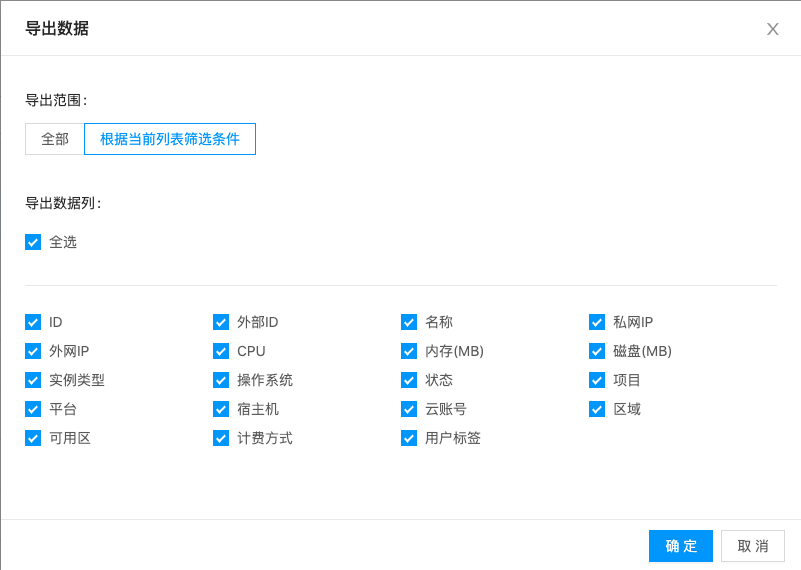
Set the export scope to “All”, select the columns you need, then click “OK”.
Export filtered data
Search for the data you need in the search box.
Click the
icon in the upper right of the list to open the export dialog.Set the export scope to “Based on current list filters”, select the columns you need, then click “OK”.