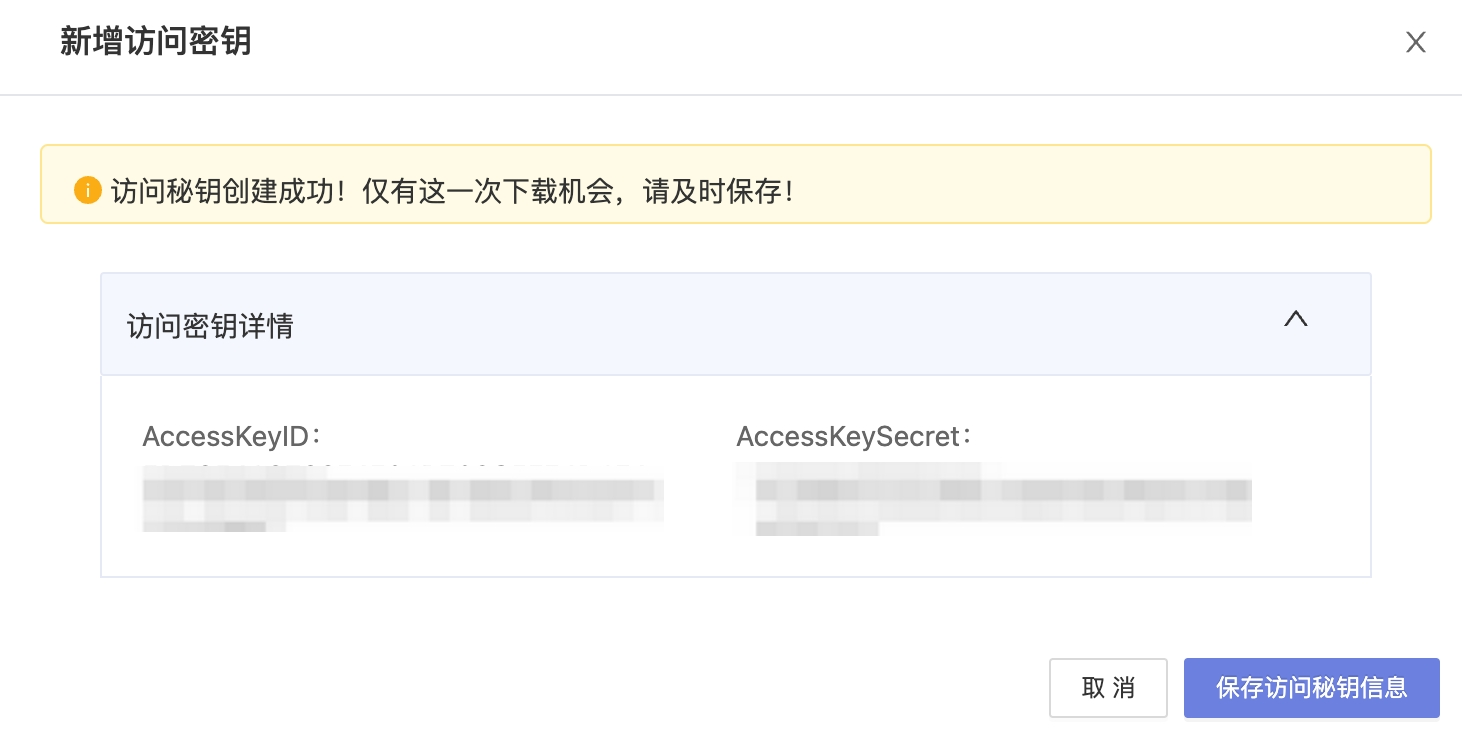
Create China Unicom Cloud Account
How to create a China Unicom Cloud account on the cloud management platform and configure related parameters.
Procedure
- On the Cloud Accounts page, click “Create” above the list.
- Select China Unicom Cloud, then click “Next: Configure cloud account”.
- Configure:
- Name: China Unicom Cloud platform name.
- Key ID / Password: connect with Access Key. See How to get China Unicom Cloud parameters.
- Common parameters: see Common configuration parameters.
- Click “Connection test” to verify parameters.
- After a successful test, click “Next: Configure sync regions” (default: all regions).
- Click “Next: Bill file access (optional)” to configure billing parameters.
- Configure scheduled sync (optional), then click “OK” to create the China Unicom Cloud account.
How to get China Unicom Cloud parameters
How to get a China Unicom Cloud API key
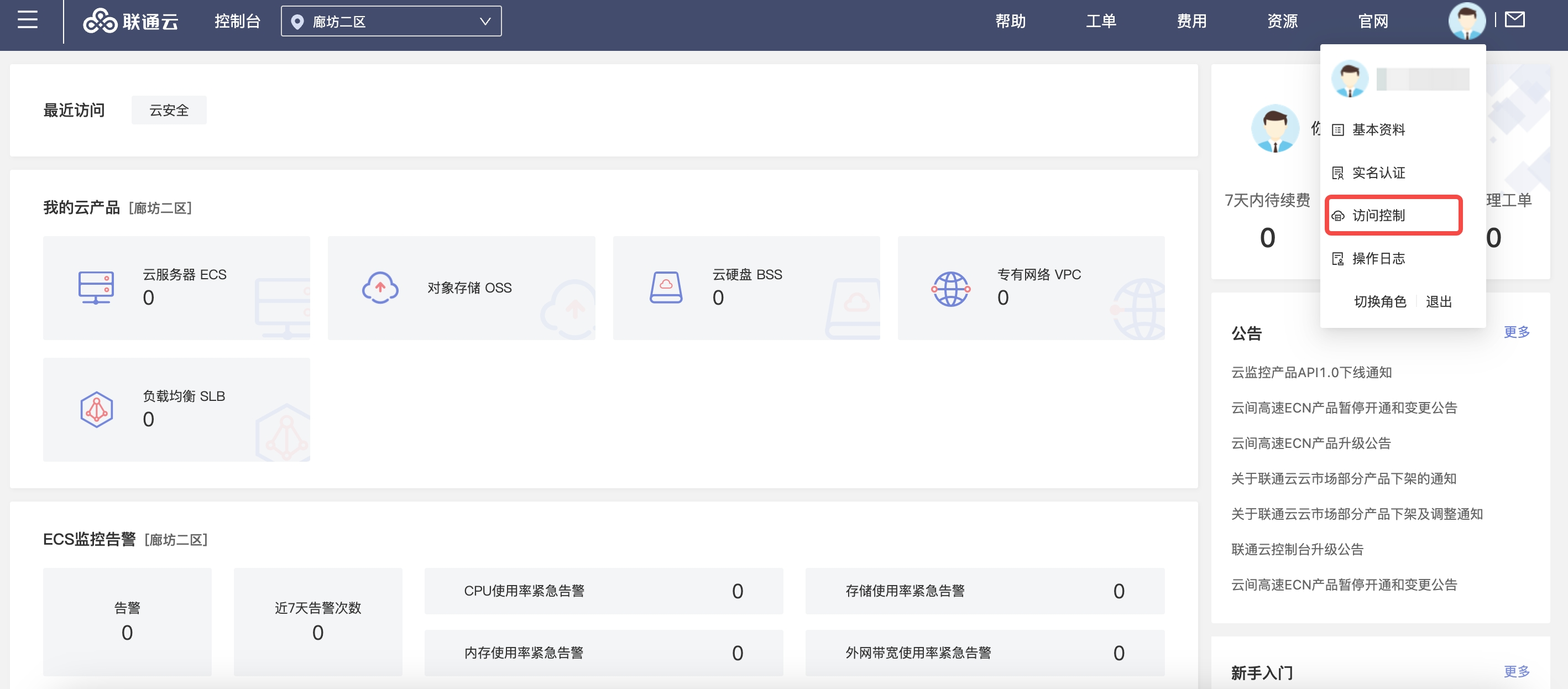
Log in to the China Unicom Cloud console with the primary account, open personal info in the upper right, then click “Access control” to open IAM.
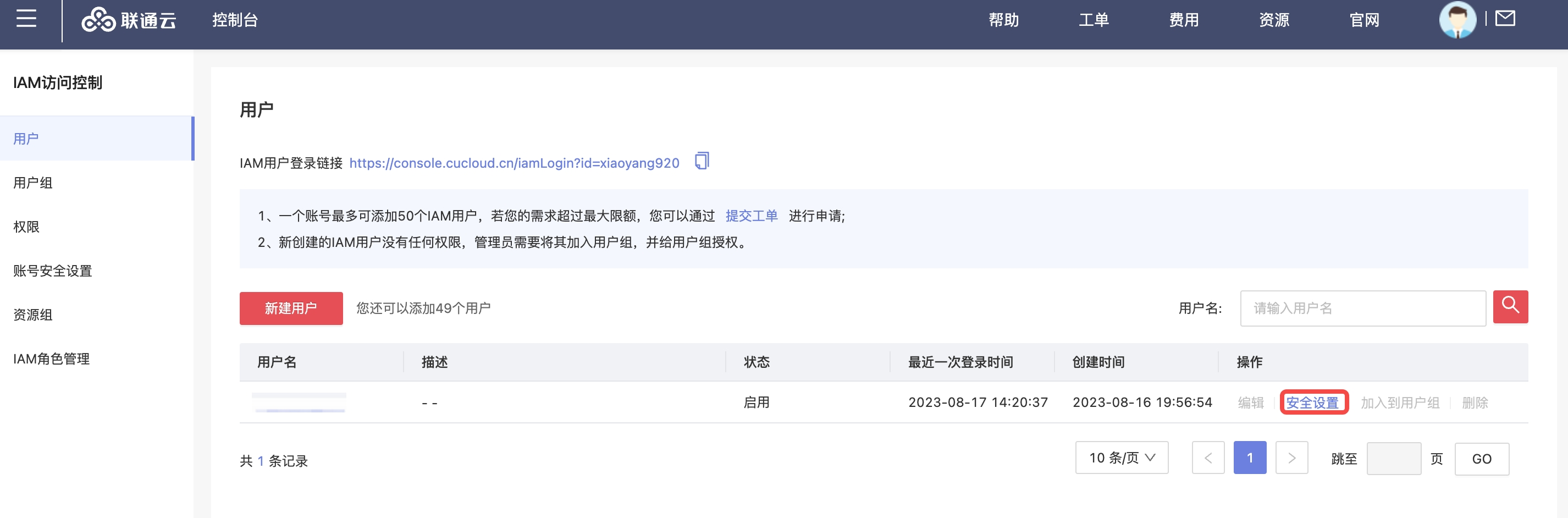
On IAM Access Control, click “Security settings” next to the username.
Click “Create access key”. China Unicom Cloud sends a verification code to the account contact’s phone; create the key after verification.